Features
Keep the useful parts. Remove the rabbit holes.
You should not have to lose an entire site just because one part of it is distracting. AImKeeper can close a domain, target a specific section, or strip the addictive features out of the sites you still need.
- Block domains and exact URLs. Shut down reddit.com completely, or only a section such as youtube.com/shorts.
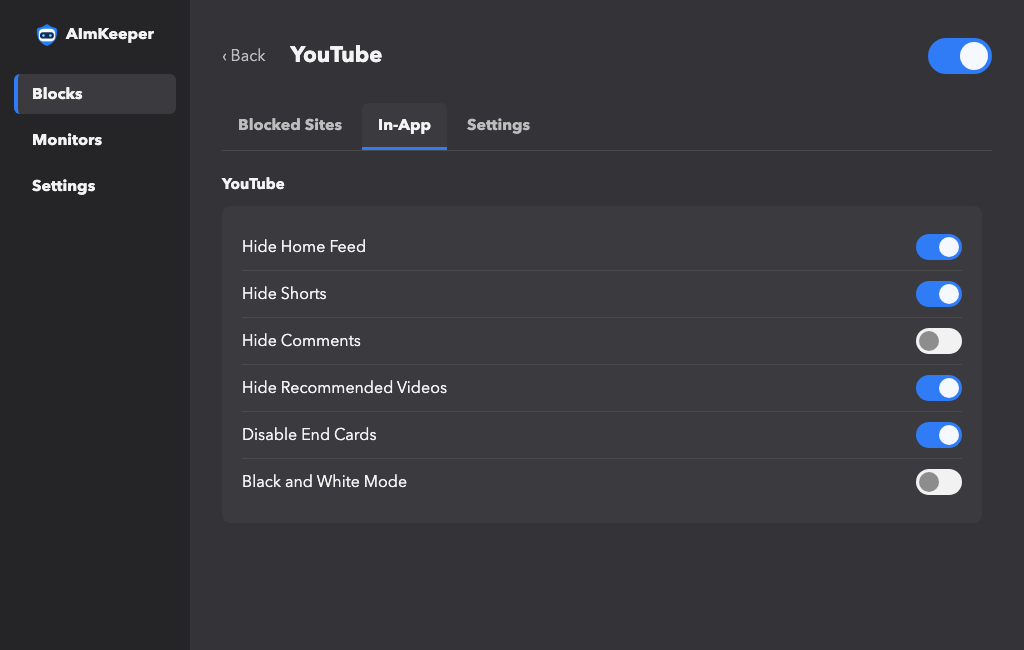
- Remove in-app distractions. Hide feeds, Shorts, Reels, Stories, comments, recommendations, trends, Explore pages, end cards, and more.
- Six major platforms built in. Fine-tune YouTube, TikTok, Instagram, X, Facebook, and Reddit without blocking the tools you use there.
- Separate lists for separate problems. Create Social, Games, Shopping, or any other Block, then flip each one from the toolbar.
Block by meaning, not just by URL.
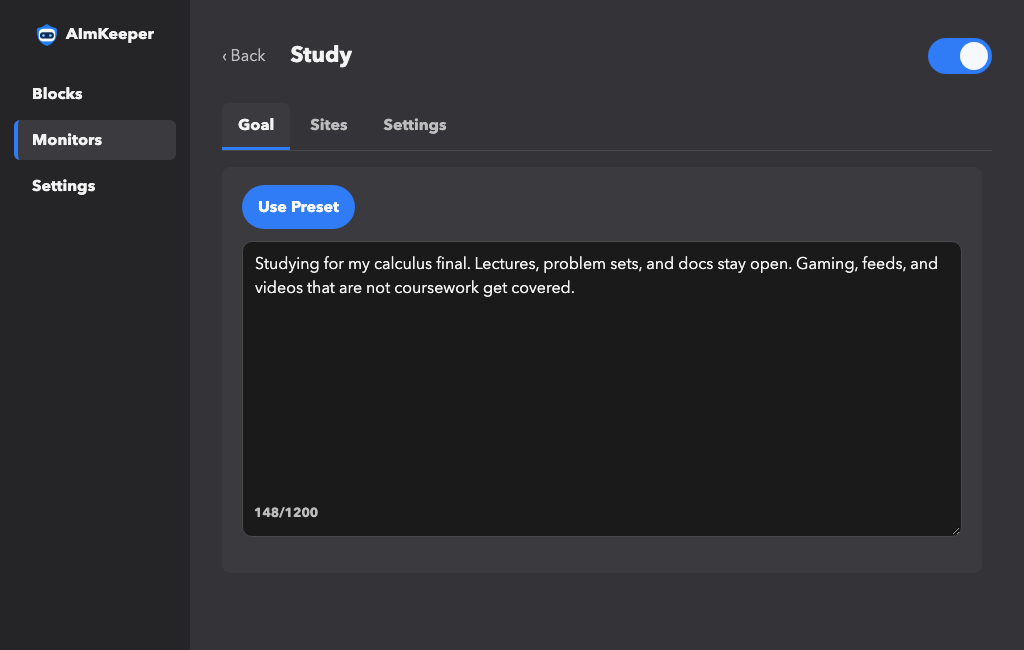
A block list cannot predict every distraction. Tell AImKeeper what you are trying to avoid, and an agent checks the page in front of you. The calculus lecture stays open; the gaming video you couldn't resist gets covered.
- Write your rule in plain language. Describe the content you want covered; AImKeeper checks that the goal is clear before it goes live.
- Start with deep-tested presets. Use a ready-made focus rule, then tailor it to your work, study, or personal boundaries.
- Watch selected sites—or all of them. Monitor the places where you drift, or apply one rule everywhere while keeping trusted sites open.
- Correct mistakes without starting over. Override a page, edit the goal, and make the rule fit your preferences more closely.
Set the routine. Keep the breathing room.
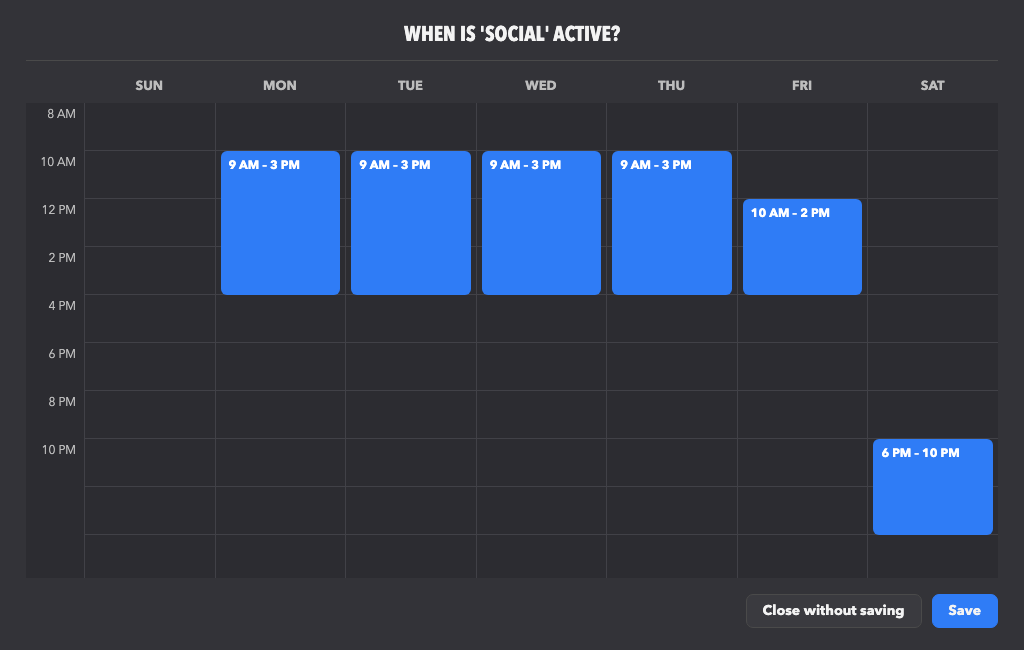
Choose when a focus rule runs and build limited downtime into the same routine. AImKeeper starts on schedule, then keeps a short break from turning into the rest of the day.
- Always on or active for a set time. Keep a rule running continuously, or commit for minutes, hours, days, or months.
- Draw a repeating week. Add active periods directly to the calendar for work, school, evenings, or any routine.
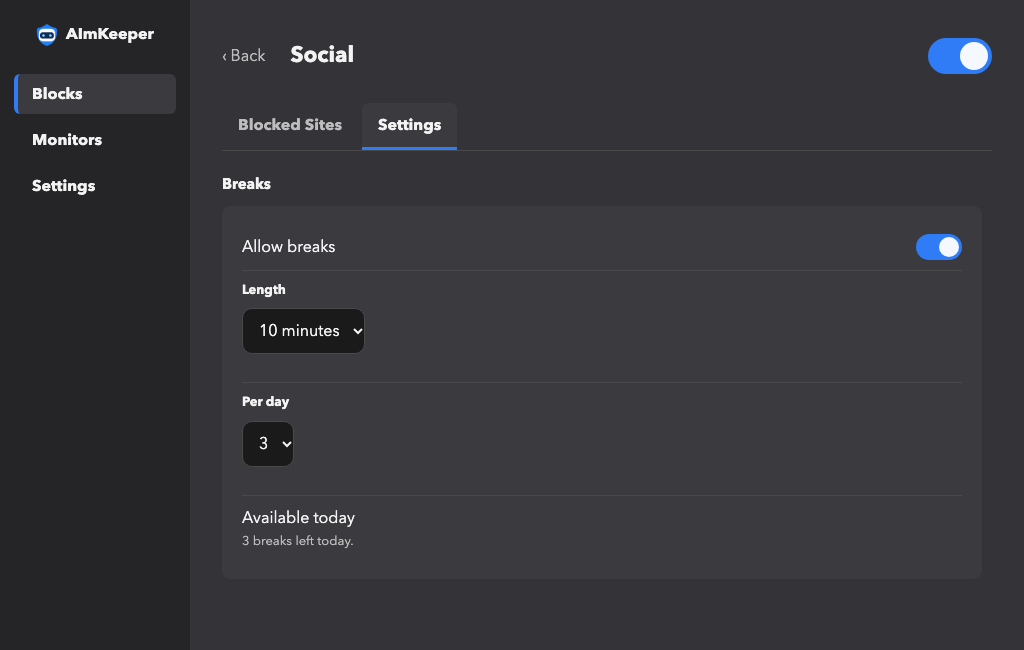
- Choose the break length. Set each break from 5 to 60 minutes before the temptation arrives.
- Give each day a budget. Allow between 1 and 8 breaks and always know how many remain.
Remove the easy escape hatch.
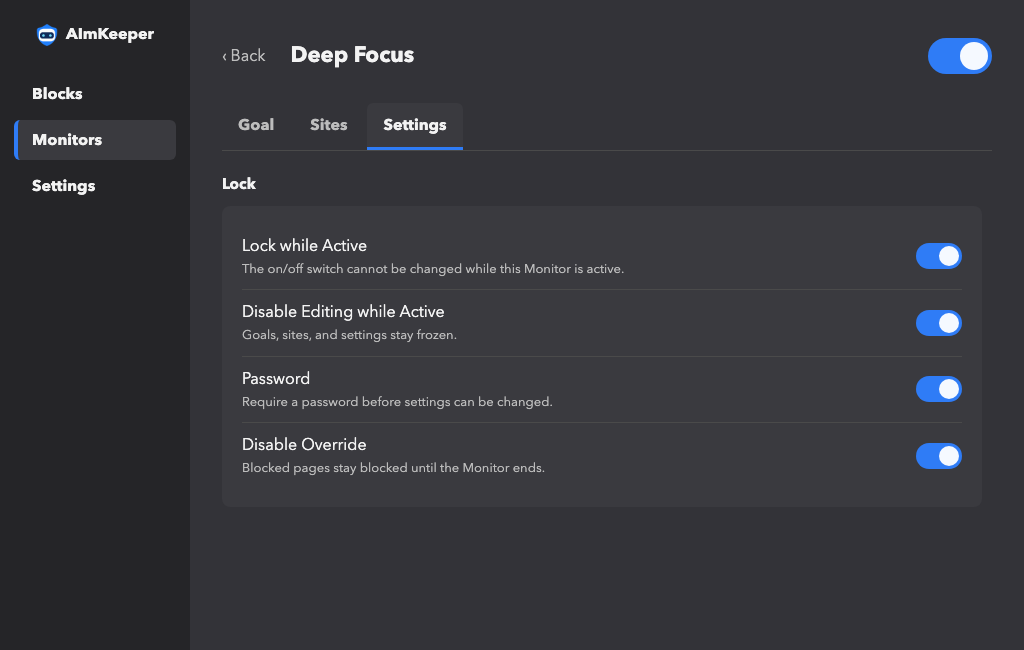
A focus rule is only useful if you cannot casually dismantle it the moment it becomes inconvenient. Choose how strict each Block or Monitor should be.
- Lock the on/off switch. Keep an active rule running until its scheduled or timed period ends.
- Freeze editing. Prevent changes to goals, sites, and settings while the rule is active.
- Add a password. Let an accountability partner hold the key, or make impulsive changes harder for yourself.
- Disable agent overrides. When the rule must hold, remove the option to talk yourself around a blocked decision.
Privacy by Default.
None of your browsing is tracked or stored. Blocks never leave your computer. A Monitor checks only the sites you choose, and that page is used for one decision and then discarded. LLMs come only from providers that commit never to keep your data and never to train on it.